🎯 SciVisAgentBench Evaluation Report
📊 Overall Performance
Overall Score
36.6%
97/265 Points
Test Cases
7/11
Completed Successfully
Avg Vision Score
26.0%
Visualization Quality
26/130
PSNR (Scaled)
N/A
Peak SNR (0/7 valid)
SSIM (Scaled)
N/A
Structural Similarity
LPIPS (Scaled)
N/A
Perceptual Distance
Completion Rate
63.6%
Tasks Completed
ℹ️ About Scaled Metrics
Scaled metrics account for completion rate to enable fair comparison across different evaluation modes. Formula: PSNRscaled = (completed_cases / total_cases) × avg(PSNR), SSIMscaled = (completed_cases / total_cases) × avg(SSIM), LPIPSscaled = 1.0 - (completed_cases / total_cases) × (1.0 - avg(LPIPS)). Cases with infinite PSNR (perfect match) are excluded from the PSNR calculation.
🔧 Configuration
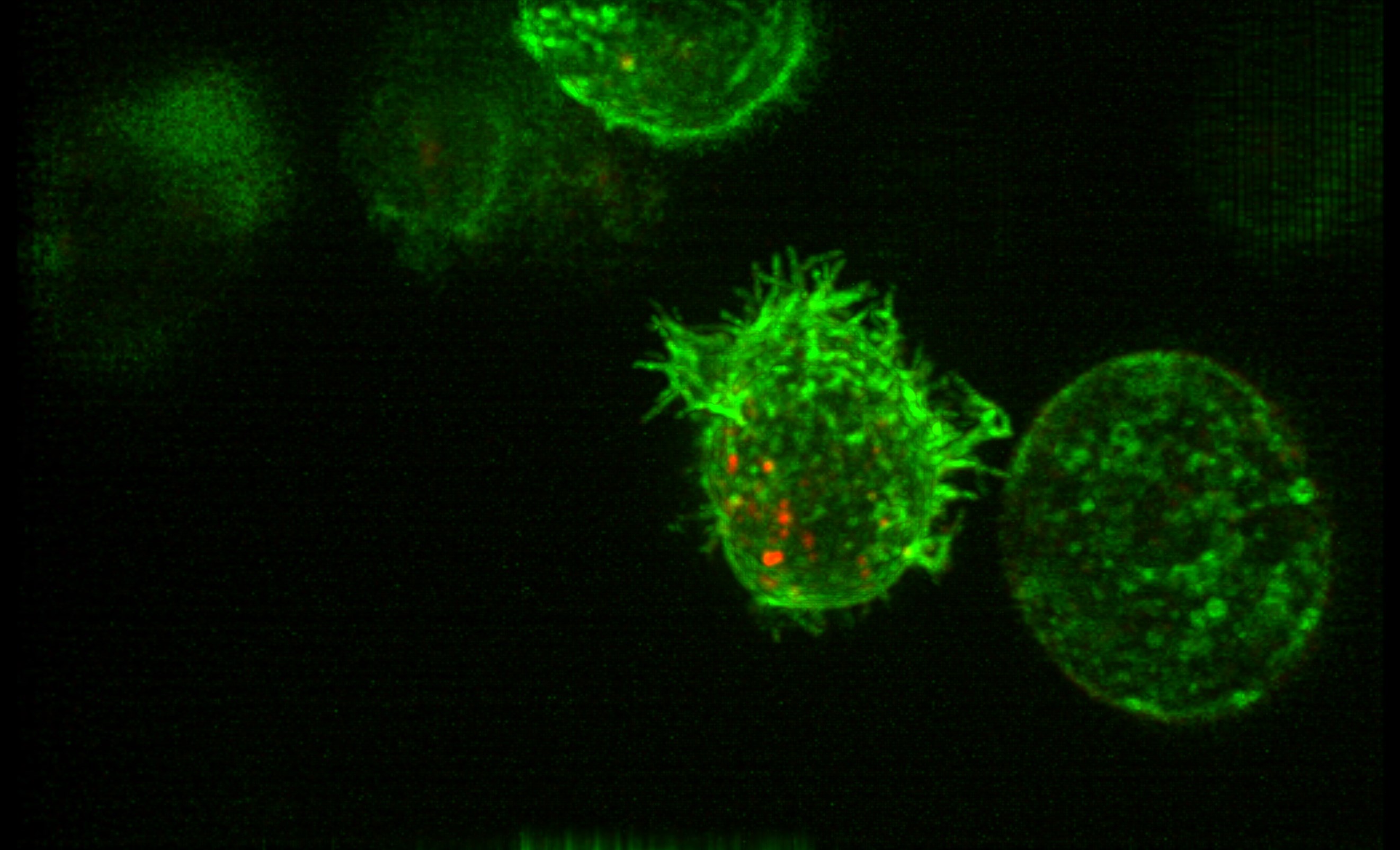
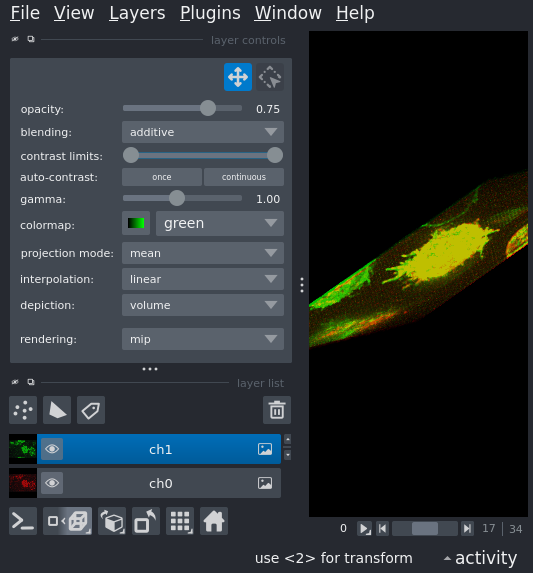
📝 case_1
⚠️ LOW SCORE21/45 (46.7%)
📋 Task Description
1. Load the "data/dataset_002/dataset_002_ch0.tif" dataset into napari as channel 0 and "data/dataset_002/dataset_002_ch1.tif" as channel 1.
2. Set the colormap for channel 0 to red and channel 1 to green.
3. Switch to the 3D view.
4. Use additive blending for all channels to create an overlay visualization.
5. Go the timestep 14.
Q1: Does the cell show protrusions? (Yes/No)
6. Take a screenshot of the result, save it to "eval_visualization_tasks/case_1/results/{agent_mode}/screenshot_1.png"
7. Answer Q1 in a plain text file "eval_visualization_tasks/case_1/results/{agent_mode}/multi_channel_answer.txt".
🖼️ Visualization Comparison
Ground Truth
Agent Result
📏 Vision Evaluation Rubrics
📝 Text-Based Q&A Evaluation
📊 Detailed Metrics
Visualization Quality
3/20
Output Generation
5/5
Efficiency
3/10
Text Q&A Score
10/10
100.0%
Input Tokens
503,849
Output Tokens
6,164
Total Tokens
510,013
Total Cost
$2.6117
📝 case_2
10/10 (100.0%)
📋 Task Description
1. Load the "data/dataset_002/Points.csv" dataset into napari.
2. Check if the points layer has been created.
Q1: Was the points layer created successfully? (Yes/No)
3. Answer Q1 in a plain text file "eval_visualization_tasks/case_2/results/{agent_mode}/points_answer.txt".
📝 Text-Based Q&A Evaluation
📊 Detailed Metrics
Text Q&A Score
10/10
100.0%
Input Tokens
348,575
Output Tokens
4,327
Total Tokens
352,902
Total Cost
$1.8078
📝 case_3
10/10 (100.0%)
📋 Task Description
1. Load the "data/dataset_002/Shapes.csv" dataset into napari.
2. Check if the shapes layer has been created.
Q1: Was the shapes layer created successfully? (Yes/No)
3. Answer Q1 in a plain text file "eval_visualization_tasks/case_3/results/{agent_mode}/shapes_answer.txt".
📝 Text-Based Q&A Evaluation
📊 Detailed Metrics
Text Q&A Score
10/10
100.0%
Input Tokens
215,355
Output Tokens
3,215
Total Tokens
218,570
Total Cost
$1.1250
📝 case_4
❌ FAILED0/0 (0.0%)
📋 Task Description
1. Load the "data/dataset_002/Labels.tif" dataset into napari.
2. Check if a new layer called "Labels" has been created.
Q1: Was the layer created successfully? (Yes/No)
3. Answer Q1 in a plain text file "eval_visualization_tasks/case_4/results/{agent_mode}/labels_answer.txt".
📝 Text-Based Q&A Evaluation
📊 Detailed Metrics
Text Q&A Score
0/0
0.0%
Input Tokens
1,615
Output Tokens
3,000
Total Tokens
4,615
Total Cost
$0.0531
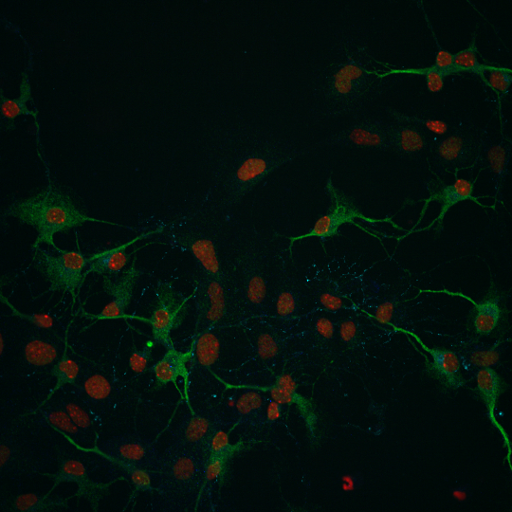
📝 case_5
❌ FAILED0/45 (0.0%)
📋 Task Description
1. Load the dataset into napari: data/dataset_001/dataset_001.tiff
2. Read the target figure: data/dataset_001/dataset_001.png but don't load it into napari.
3. Read the dataset description: data/dataset_001/dataset_001.yaml.
4. Set the same colormaps and blending modes as the target figure.
5. Adjust contrast and gamma as needed to match the target figure.
6. Take a screenshot of your recreation.
7. If the recreation does not match the target figure, adjust the visualization settings and take a screenshot again.
8. Stop when the recreation matches the target figure or you have tried five different visualization settings.
9. Save the final screenshot to "eval_visualization_tasks/case_5/results/{agent_mode}/screenshot.png".
🖼️ Visualization Comparison
Ground Truth
Agent Result

📏 Vision Evaluation Rubrics
📊 Detailed Metrics
Visualization Quality
1/30
Output Generation
5/5
Efficiency
3/10
Input Tokens
521,172
Output Tokens
8,894
Total Tokens
530,066
Total Cost
$2.7393
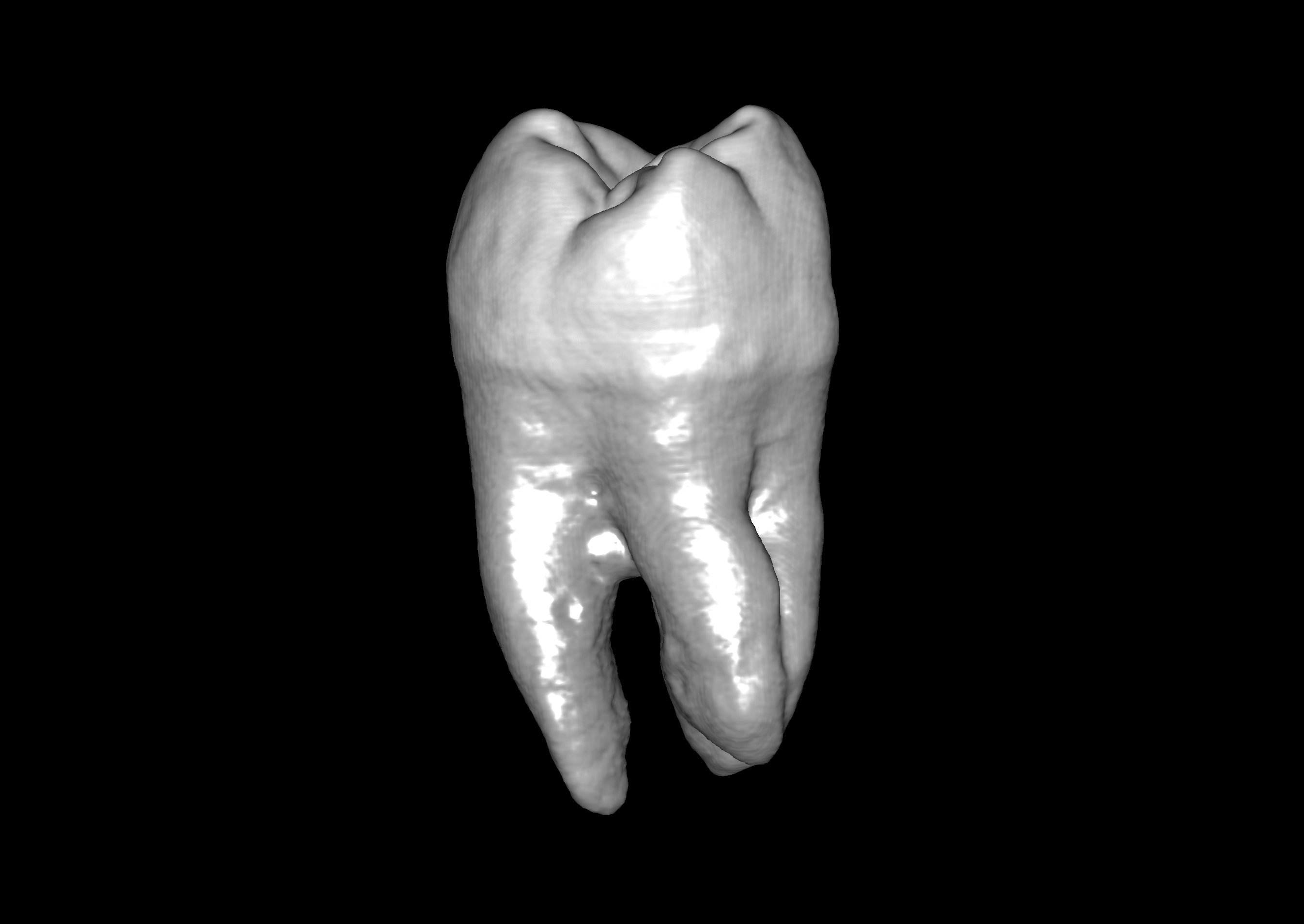
📝 case_6
⚠️ LOW SCORE12/35 (34.3%)
📋 Task Description
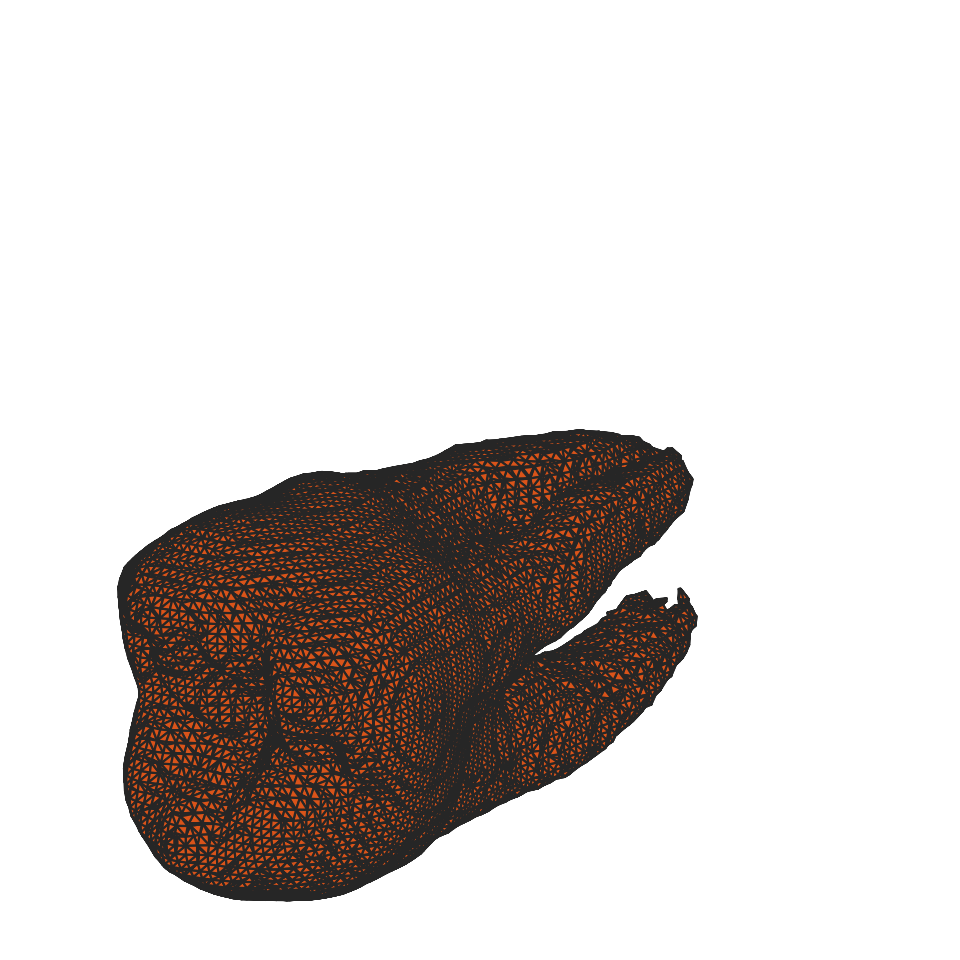
1. Read the file "data/dataset_003/eval_iso_surface_determination_target_1.txt" to get the target iso-surface values for different tooth structures.
2. Load data/dataset_003/dataset_003.tif into napari.
3. Switch to 3D view mode and set the rendering to iso.
4. Find the iso surface value that shows the target clearly.
5. Rotate the camera to several angles and take a screenshot of the result each time to check if the target structure is clearly visible from different angles.
6. If the target structure is not clearly visible, adjust the iso surface value and take a screenshot again.
7. Stop when the target structure is clearly visible or you have tried five different iso surface values.
8. Save the final screenshot to "eval_visualization_tasks/case_6/results/{agent_mode}/screenshot.png".
🖼️ Visualization Comparison
Ground Truth
Agent Result
📏 Vision Evaluation Rubrics
📊 Detailed Metrics
Visualization Quality
7/20
Output Generation
5/5
Efficiency
0/10
Input Tokens
1,248,285
Output Tokens
16,129
Total Tokens
1,264,414
Total Cost
$6.4834
📝 case_7
❌ FAILED0/10 (0.0%)
📋 Task Description
1. Load the image "data/dataset_002/dataset_002_ch0.tif" and set channel 0 to a magenta colormap.
2. Switch to a 3D MIP view.
3. Take a screenshot and analyze it to count how many complete cells are visible (not cut off by edges).
Q1: answer with the number of complete cells you counted, for example "5" if you see 5 complete cells.
4. Save the answer of Q1 to the questions in plain text as "eval_visualization_tasks/case_7/results/{agent_mode}/Q1_answer.txt".
📝 Text-Based Q&A Evaluation
📊 Detailed Metrics
Text Q&A Score
0/10
0.0%
Input Tokens
1,396,100
Output Tokens
13,328
Total Tokens
1,409,428
Total Cost
$7.1804
📝 case_8
10/10 (100.0%)
📋 Task Description
1. Load the image "data/dataset_001/dataset_001.tiff".
2. Get basic statistics (min, max, mean, std) for the loaded layer.
3. Extract the raw layer data and examine its properties.
4. Save the current layer to a file for further analysis.
Q1: Was the statistical analysis and data export successful? (Yes/No)
6. Save the answer of Q1 in plain text as "eval_visualization_tasks/case_8/results/{agent_mode}/layer_statistics_answer.txt".
📝 Text-Based Q&A Evaluation
📊 Detailed Metrics
Text Q&A Score
10/10
100.0%
Input Tokens
268,418
Output Tokens
3,931
Total Tokens
272,349
Total Cost
$1.4011
📝 case_9
10/10 (100.0%)
📋 Task Description
1. Load the image "data/dataset_001/dataset_001.tiff".
2. Add point annotations at random locations on the image.
3. Add shape annotations (rectangles or circles) at random locations on the image.
Q1: Check if layers have been generated. (Yes/No)
4. Save the answer of Q1 in plain text as "eval_visualization_tasks/case_9/results/{agent_mode}/annotation_answer.txt".
📝 Text-Based Q&A Evaluation
📊 Detailed Metrics
Text Q&A Score
10/10
100.0%
Input Tokens
275,474
Output Tokens
3,605
Total Tokens
279,079
Total Cost
$1.4314
📝 case_10
24/35 (68.6%)
📋 Task Description
1. Load the image "data/dataset_002/dataset_002_ch0.tif" into napari.
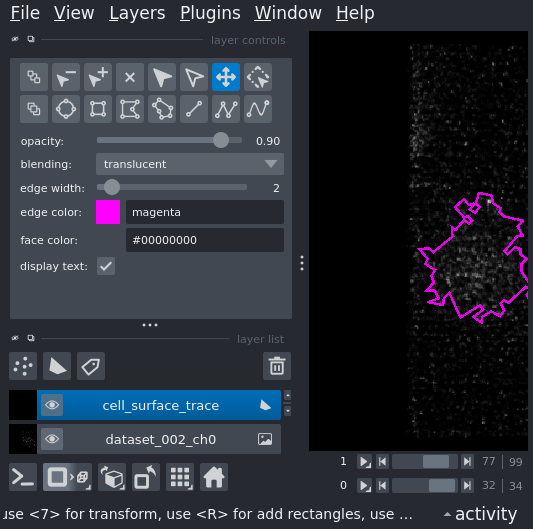
2. Trace the cell surface on the current slice by adding a polygon shape in a new shape layer.
3. Use a screenshot to validate whether the polygon correctly traces the cell surface.
4. If the trace is not accurate, adjust the polygon and take a new screenshot to validate.
5. Stop when the trace is accurate or you have tried five different attempts.
6. Save the results and the final screenshot to "eval_visualization_tasks/case_10/results/{agent_mode}/cell_surface_trace.png".
🖼️ Visualization Comparison
Ground Truth

Agent Result
📏 Vision Evaluation Rubrics
📊 Detailed Metrics
Visualization Quality
16/20
Output Generation
5/5
Efficiency
3/10
Input Tokens
569,110
Output Tokens
9,828
Total Tokens
578,938
Total Cost
$2.9930
📝 case_11
❌ FAILED0/55 (0.0%)
📋 Task Description
1. Load the "data/dataset_002/dataset_002_ch0.tif" dataset into napari as channel 0 and "data/dataset_002/dataset_002_ch1.tif" as channel 1.
2. Depending on the number of channels, set the colormap for the first channel 0 to red and channel 1 to green.
3. Switch to the 3D view.
4. Zoom in to the cell in the middle.
5. Rotate the camera to a side view.
6. Take a screenshot of the zoomed-in view and save it to "eval_visualization_tasks/case_11/results/{agent_mode}/zoom_screenshot.png".
7. Take a screenshot of the side view and save it to "eval_visualization_tasks/case_11/results/{agent_mode}/rotate_screenshot.png".
🖼️ Visualization Comparison - Set 1
Ground Truth
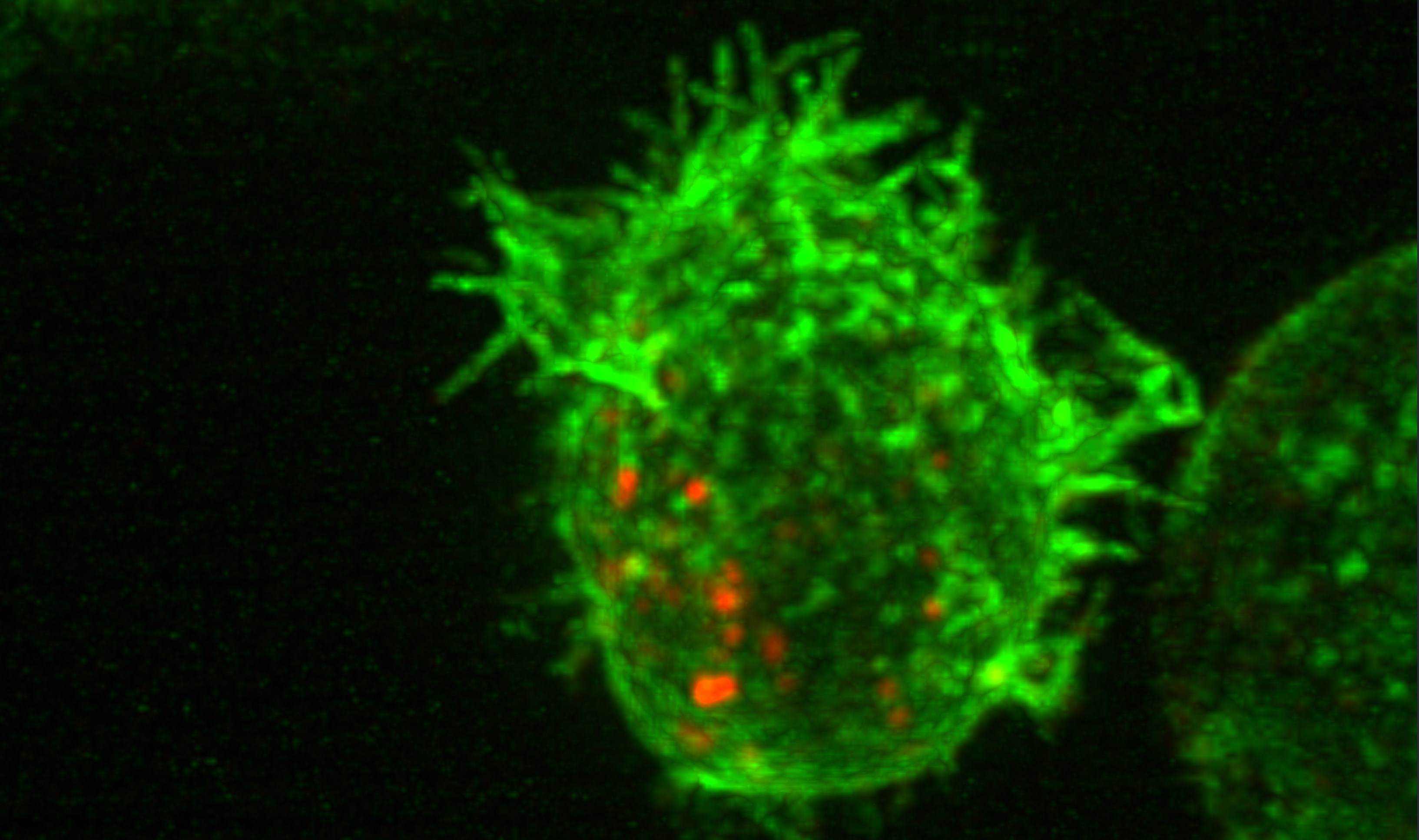
Agent Result

📏 Vision Evaluation Rubrics - Set 1
🖼️ Visualization Comparison - Set 2
Ground Truth
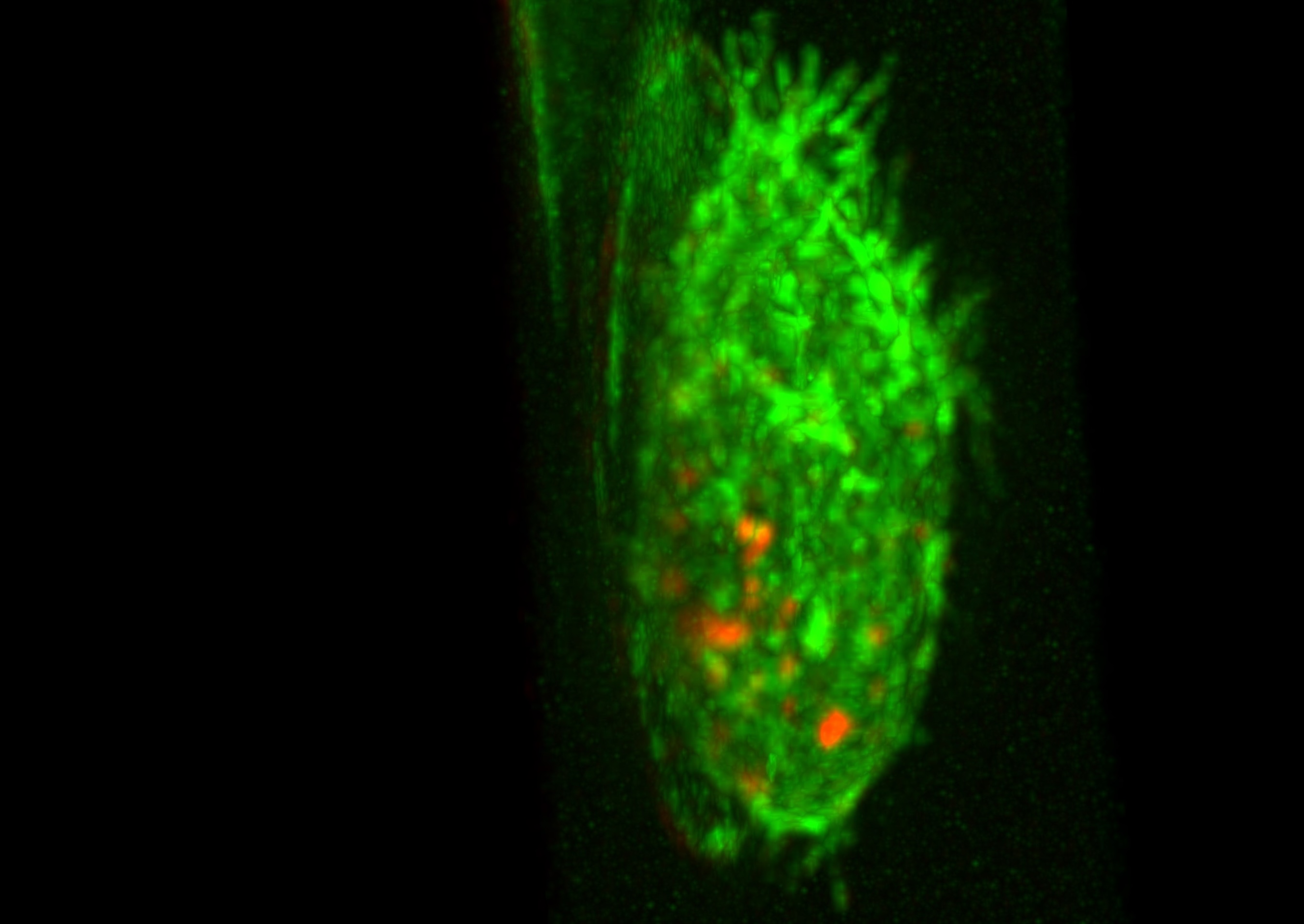
Agent Result

📏 Vision Evaluation Rubrics - Set 2
📊 Detailed Metrics
Visualization Quality
0/40
Output Generation
5/5
Efficiency
3/10
Input Tokens
672,141
Output Tokens
6,445
Total Tokens
678,586
Total Cost
$3.4574